
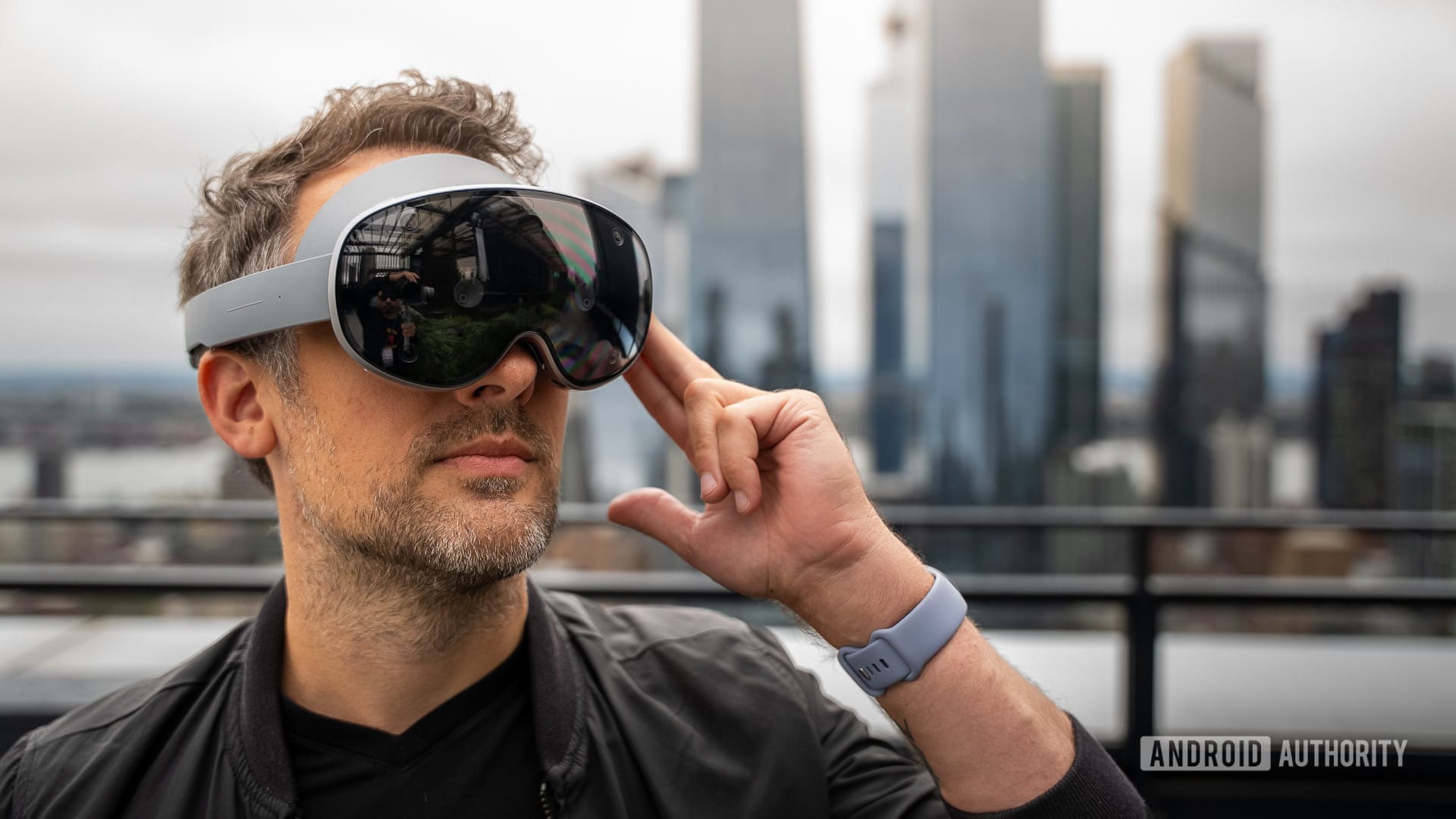
Samsung and Google have created a next-generation mixed reality headset together, packing in cutting-edge specs and a bespoke new version of Android.
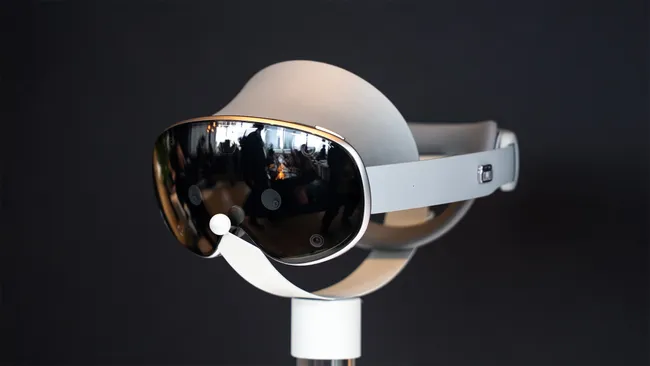
The Galaxy XR headset has been in development for years by Google and Samsung, and as of October 21, 2025, it will be available for purchase. Galaxy XR was once known as Project Moohan, which means “infinity” in Korean, referring to the infinite amount of space you have to work with in 3D virtual space.
The Galaxy XR is Samsung and Google’s biggest investment in virtual reality and augmented reality in a long time. Galaxy XR isn’t just a gorgeous, premium mixed reality headset.
It’s also the catalyst for Android XR, a new version of Android built from the ground up for mixed reality in the Gemini era.
The headset resembles a mix between the Meta Quest Pro and the Apple Vision Pro, offering full support for hand and eye tracking, as well as motion-based controllers.
Although Samsung is not marketing this as a gaming console like Meta is, the headset still supports a number of well-known virtual reality games and is expected to receive many more.
Everything you need to know about the Galaxy XR can be found here, including entertainment, gaming, productivity, and so much more!
Samsung Galaxy XR: Launch and pricing
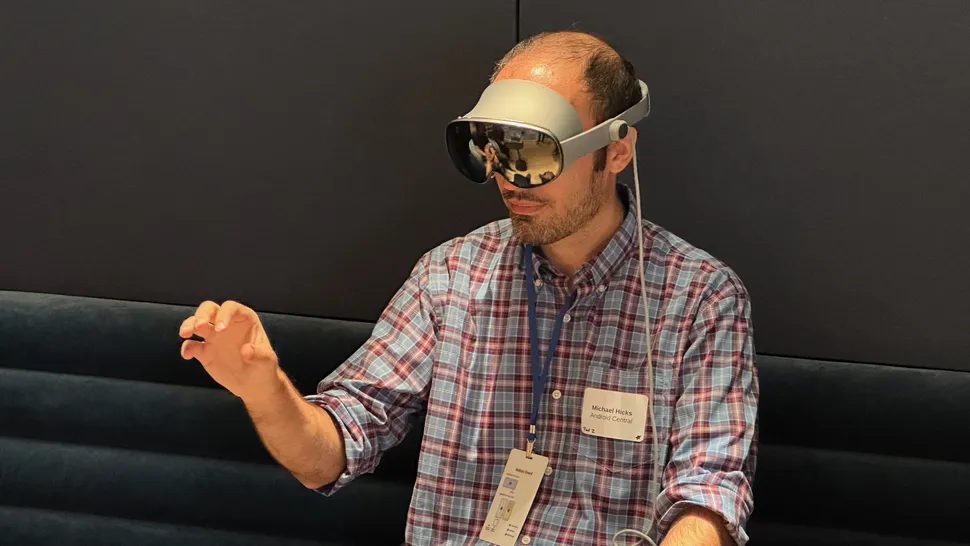
Samsung.com and Samsung Experience Stores will sell the Galaxy XR for $1,799 starting on October 21, 2025. Samsung also offers financing options, bringing the price down to just $75 per month for 24 months.
Google AI Pro, YouTube Premium, Google Play Pass, Calm Premium, an NBA League Pass for the 25/26 season, a year of Adobe Project Pulsar, the full NFL PRO ERA game, and more are included in the free “The Explorer Pack,” which is worth more than $1,140.
An official travel case, motion-tracking controllers, and Galaxy XR-specific prescription lenses are also available from Samsung.
Samsung Galaxy XR: What can you do with it?
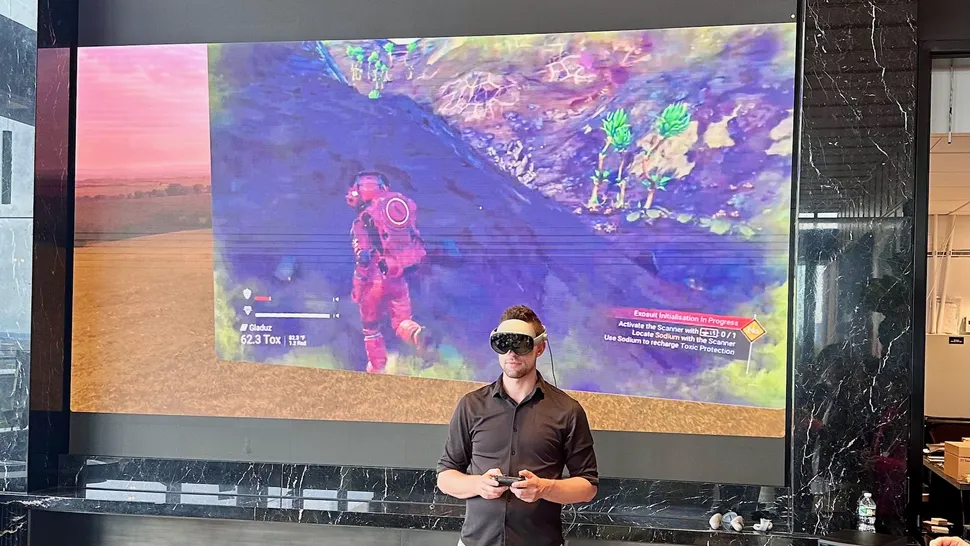
Samsung Galaxy XR is a mixed reality headset that’s designed for augmented reality and virtual reality experiences. Samsung envisions that people will use.
it to make videos with Adobe Project Pulsar, work with enormous virtual monitors that can be moved around easily, watch movies in an immersive virtual theater, or even play games on an enormous virtual screen with cloud services like Xbox Game Pass.
Galaxy XR also supports native VR games built for the headset, including popular VR games like Demeo, Arizona Sunshine, Job Simulator, Walkabout Mini Golf, and more.
Due to its capabilities and resolution, it is the best wireless PC VR headset because it supports PC VR gaming through apps like Virtual Desktop, which grant full access to SteamVR.
Samsung Galaxy XR: Headset and controller design
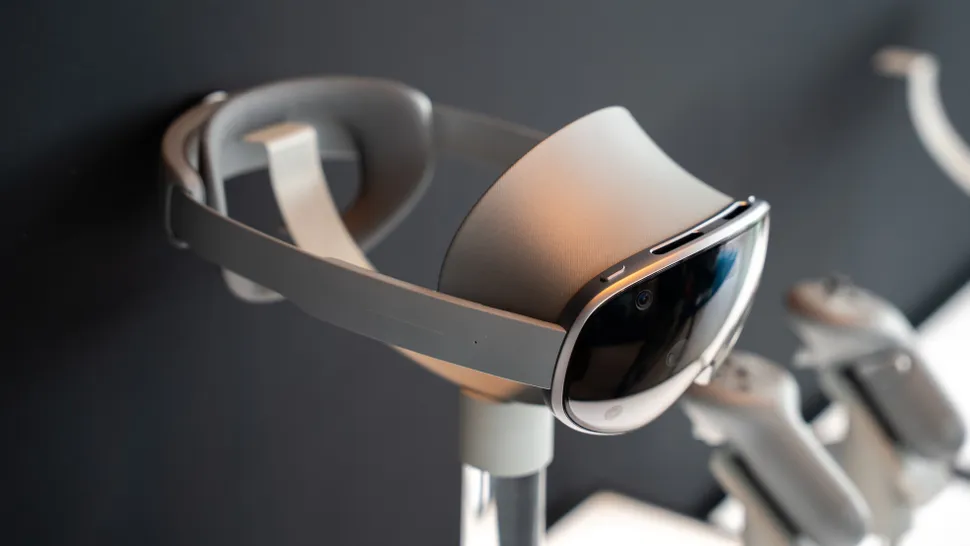
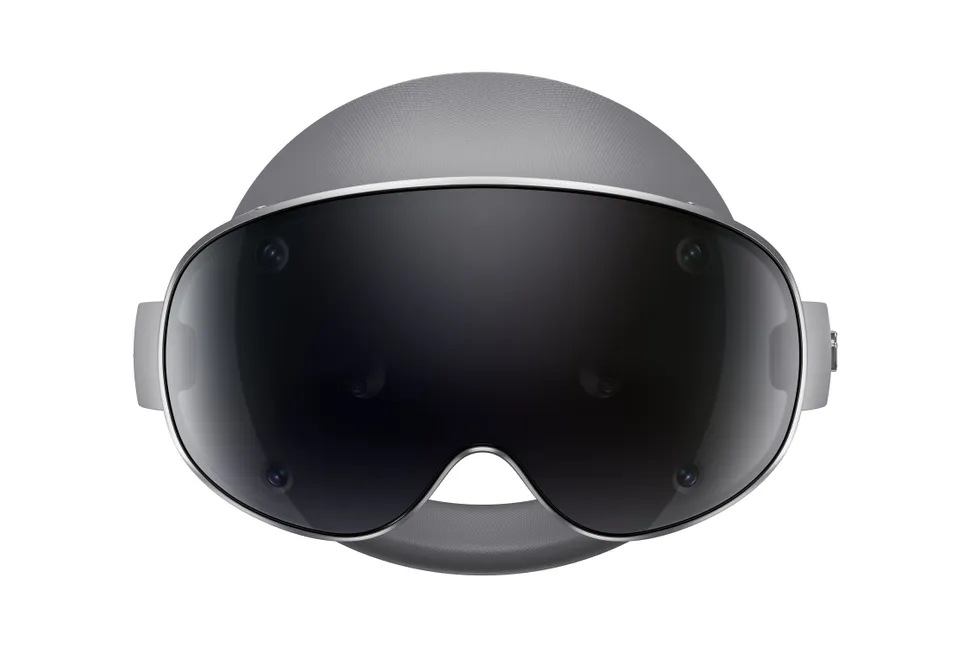
Samsung Galaxy XR looks a lot like the Apple Vision Pro and Meta Quest Pro had a baby. Users of the Galaxy XR will be able to better personalize their experience by wearing it with or without light blockers. The light blockers are magnetically attached, making them simple to pop on and off as needed.
Users could easily remove the light blockers for a more open mixed-reality experience, similar to how the Meta Quest Pro worked. Because of this, the headset’s periphery, including the sides and below, could be seen.
Overall, it looks a lot like a pair of ski goggles, a description that’s been used for both Apple Vision Pro and Meta Quest Pro.
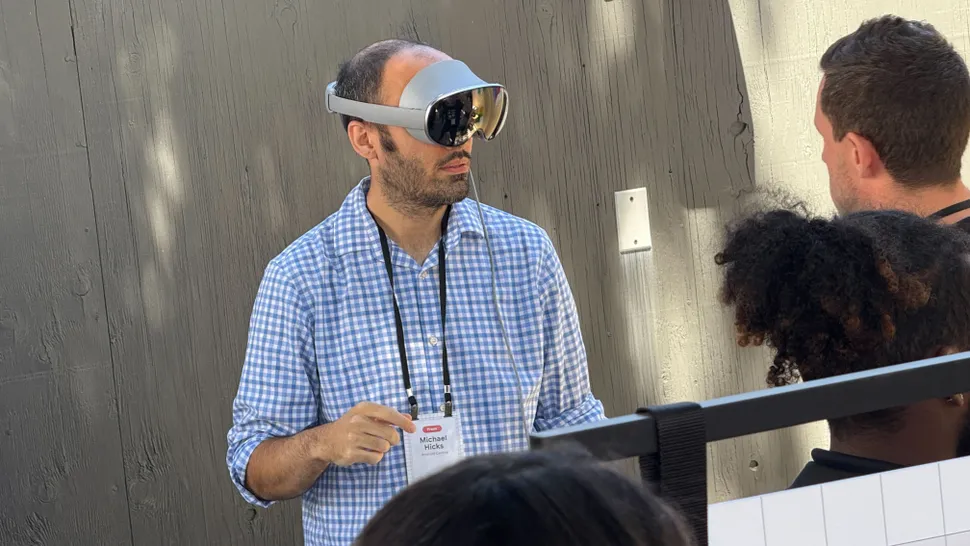
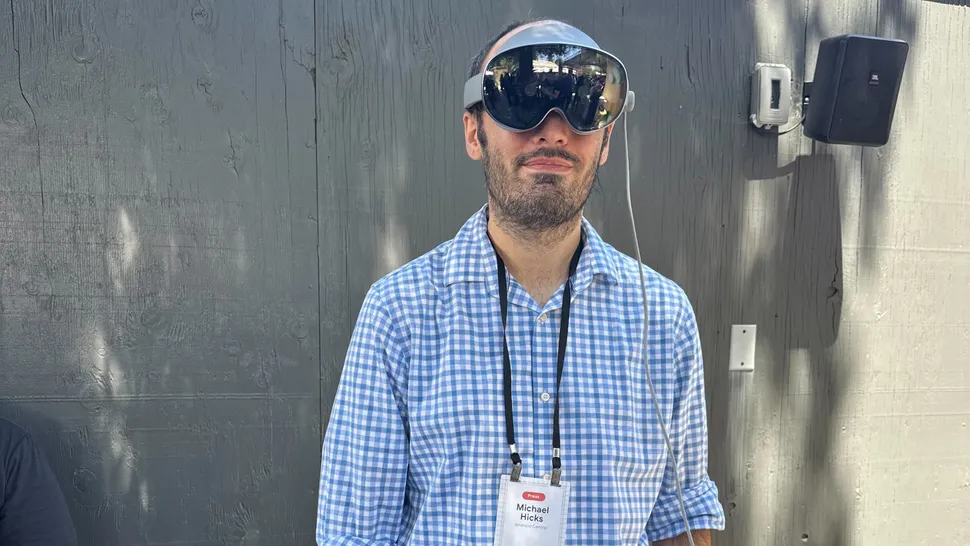
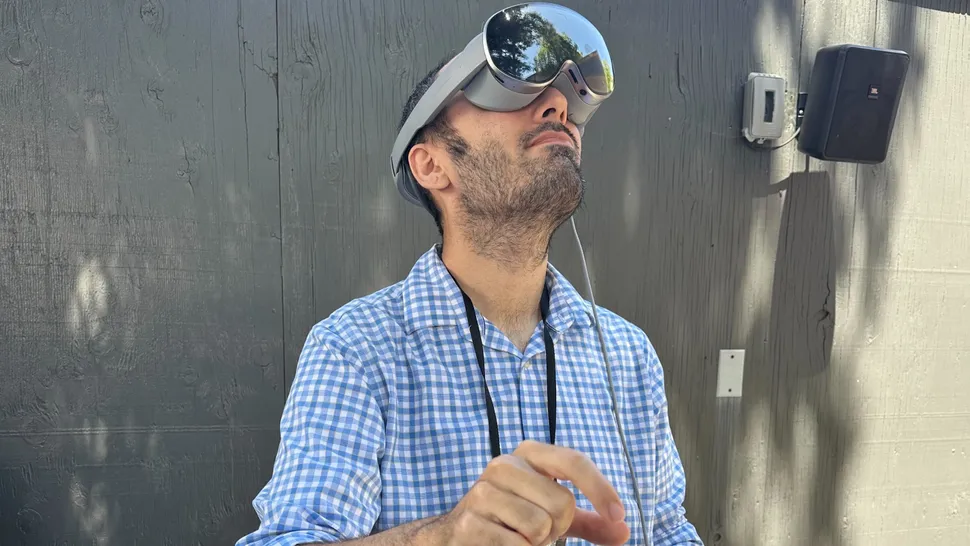
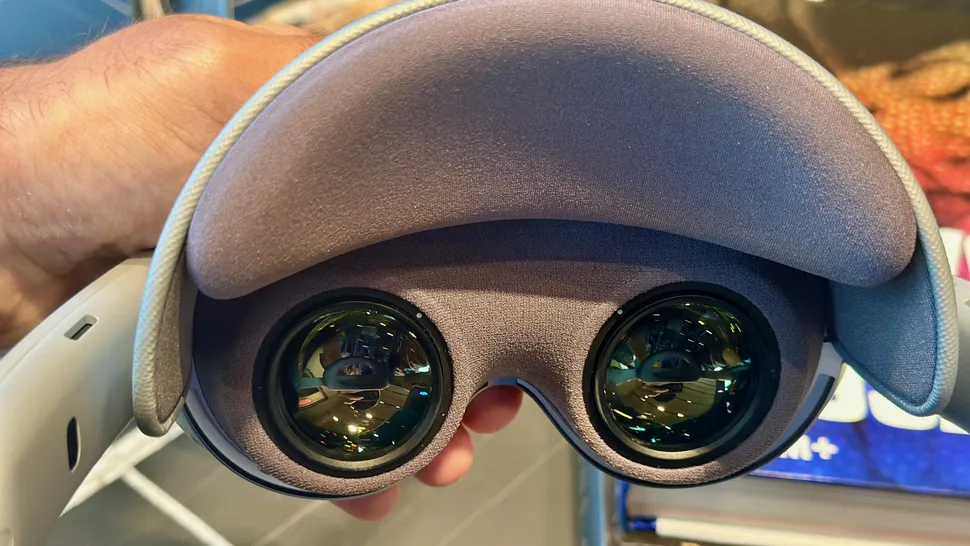
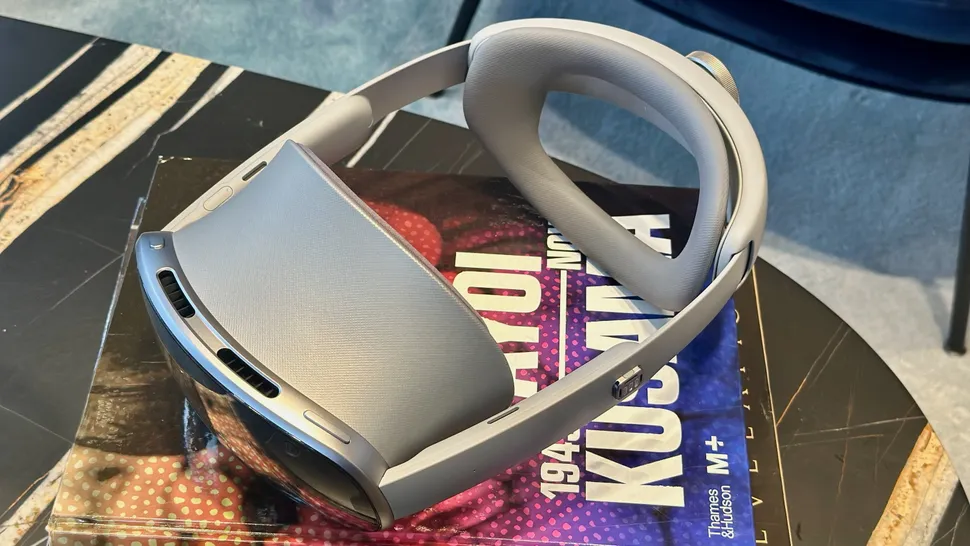
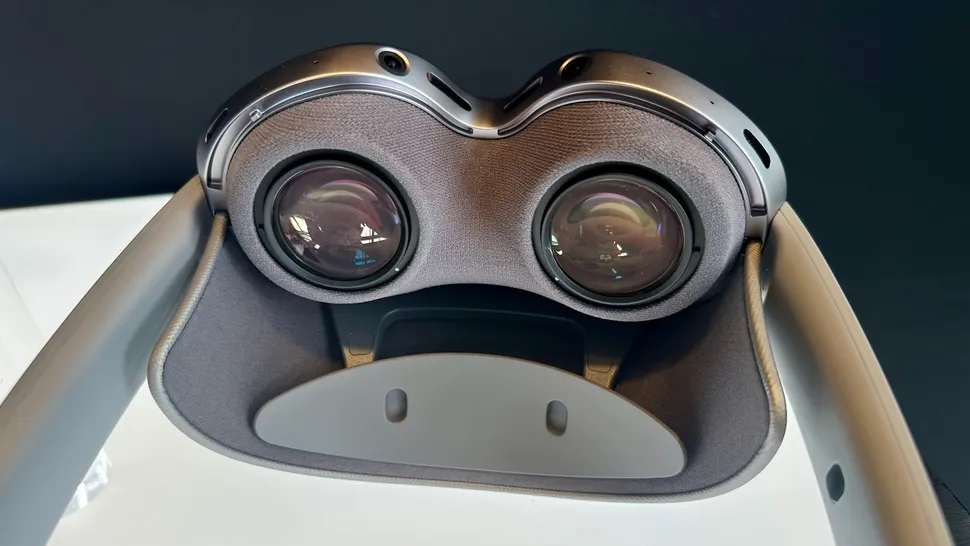
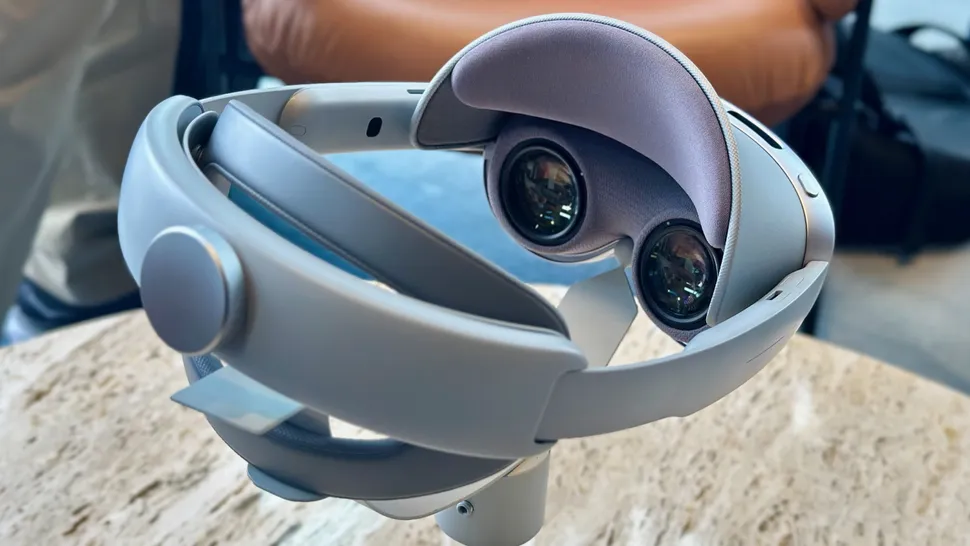
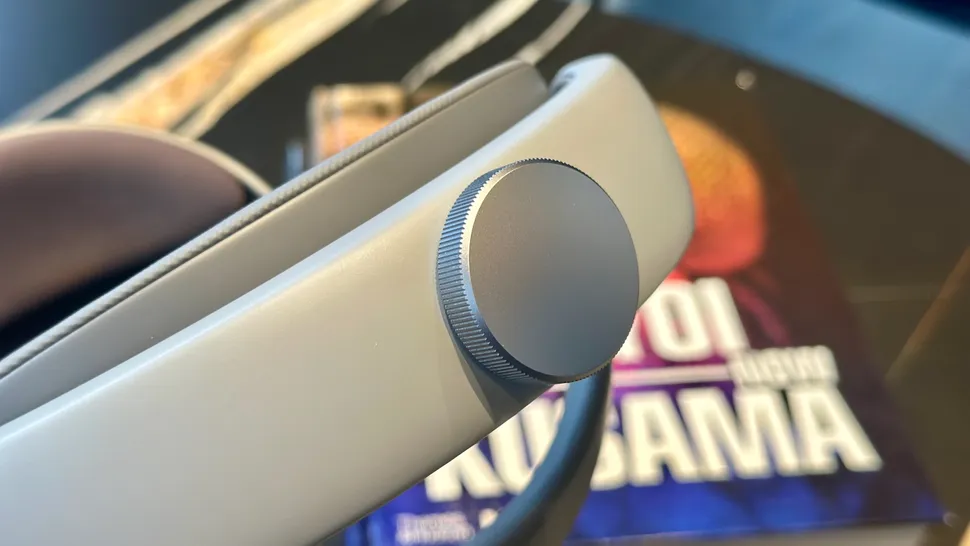
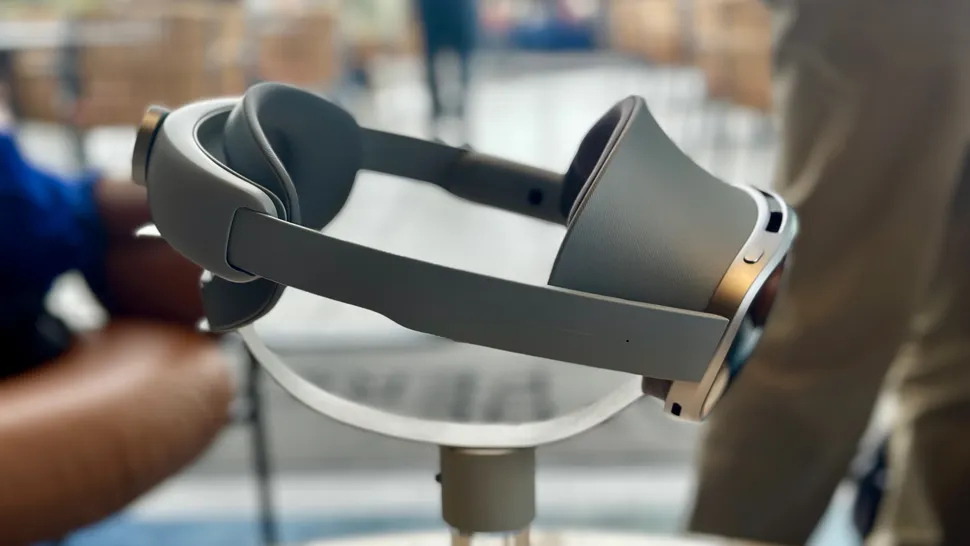
Instead of the uncomfortable cloth strap found on the Apple Vision Pro, the Samsung Galaxy XR smartly uses a rigid strap similar to the Meta Quest Pro.
This helps better distribute weight and provide stability across your head, complete with a nice thick pad along the back of the cranium.
The strap’s size can be quickly adjusted via a dial on the back, similar to Meta Quest Pro or the best Meta Quest 3 accessories. For maximum comfort, a generous forehead pad distributes weight evenly between the user’s forehead and the head cushion.
That also means there’s no weight placed on a user’s face at all, a significant improvement to Apple’s face-heavy design. Samsung is keeping the battery as a tethered accessory instead of packing it into the headset, ensuring that it weighs as little as possible.
Fortunately, you can charge the battery pack while wearing the headset, potentially extending the estimated 2.5-hour battery life for an unlimited amount of time.
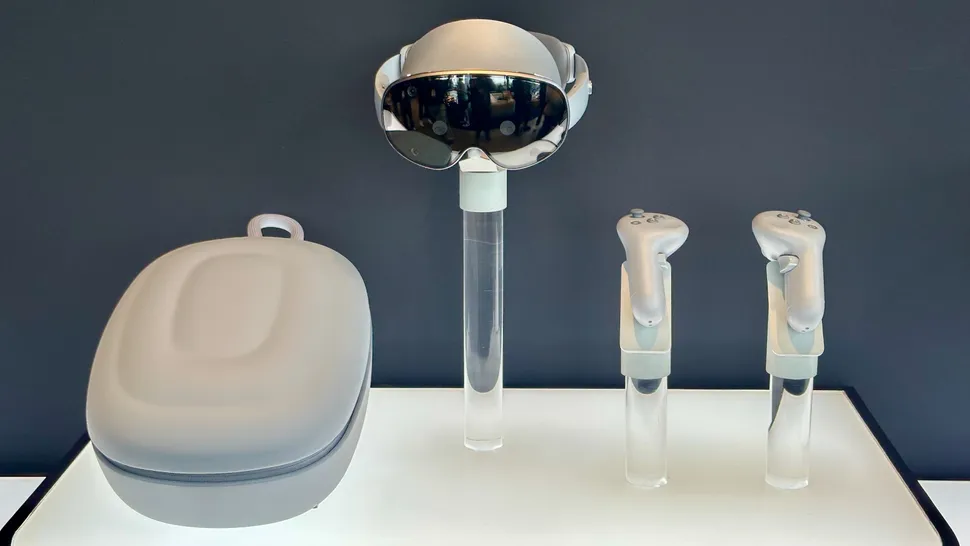
Hidden behind the gorgeous glass front is a set of six tracking cameras, two high-resolution passthrough cameras, one depth sensor, and one flicker sensor.
These ensure that tracking the space around you feels as accurate and natural as your own movements and that controllers and hands can be accurately tracked for input.
You will find a pair of pancake lenses inside the headset that provide the highest level of clarity for the micro OLED panels that Samsung is using. These lenses have a nearly identical 109-degree field of view to the Meta Quest 3.
Four eye-tracking cameras ring the lenses, and an iris sensor acts as a way to biometrically authenticate yourself for payment apps and unlocking the device.
Galaxy XR uses a cutting-edge micro-OLED display with 3,552 x 3,840 resolution (29 million pixels), 96% DCI-P3 color gamut, and support for 60Hz, 72Hz, and 90Hz modes. The Galaxy XR’s display, by contrast, has 23 million pixels, giving it a sharper appearance.
Samsung Galaxy XR: Controllers and gaming
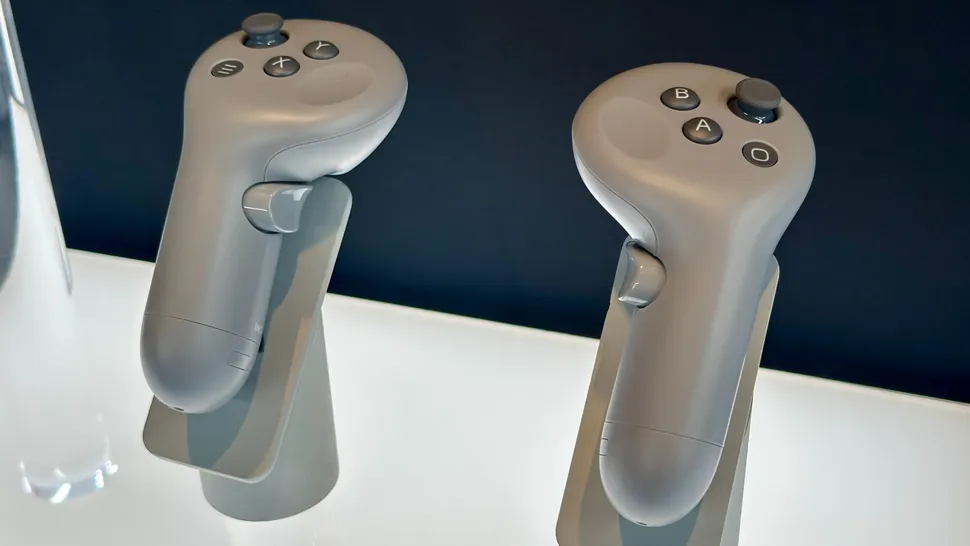
Galaxy XR is designed from the ground up to be used without controllers, but Samsung sells a set of motion-tracked controllers on its website for $250 (price as of October 2025).
These controllers feature standard XR button inputs similar to systems like the Meta Quest 3 or PlayStation VR2. That consists of two joysticks, six buttons on the front, two trigger buttons, two grip buttons, and six buttons split between each controller.
When playing VR or mixed reality games, the headset’s cameras and infrared lights track the controllers, ensuring the highest level of precision. Samsung doesn’t provide a battery life estimate for the controllers at this time, although it’s expected that they will last several hours on a single charge.
These controllers can be used to play games that run on the headset’s hardware or used in conjunction with an app like Virtual Desktop to play SteamVR games.
As of launch, Galaxy XR features around 30 games that can be purchased and downloaded from the Google Play Store.
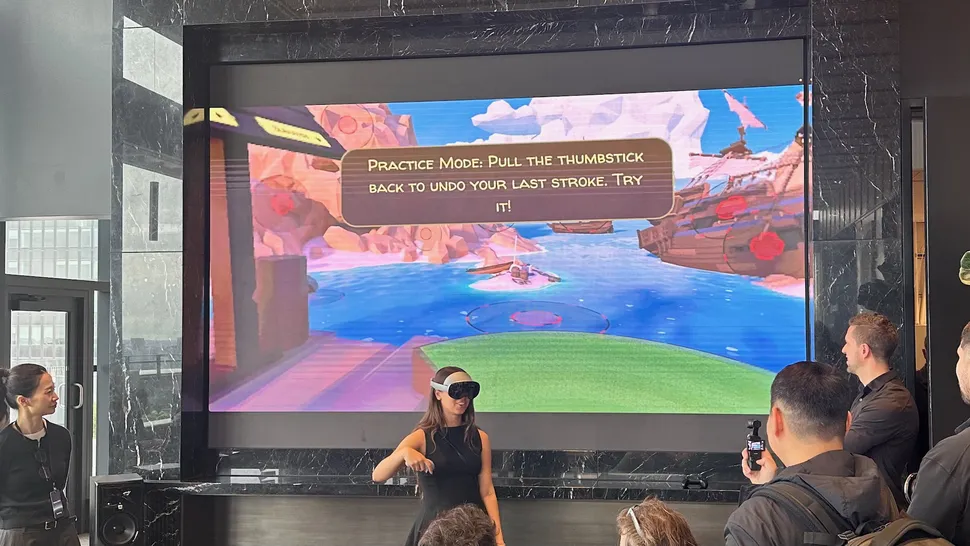
Android Central has been informed by developers that porting Meta Quest games to Android XR is simple and does not take a lot of time, raising hopes that more games will be released on this platform in the future.
Popular titles like Walkabout Mini Golf look and run perfectly on the headset, offering hundreds of hours of fun with friends in an immersive space.
Virtual Desktop officially supports the use of the headset’s face, eye, and hand tracking, passthrough up to “Monster Resolution,” and support for up to 90 Hz refresh rate for gamers who want to play PC VR games at ultra-high resolutions.
Because apps like VRChat can track your eyes and face, they can show other players how you really feel, making it an excellent choice for the ultimate PC VR headset.
Samsung Galaxy XR: Specs and performance
The hardware in the Samsung Galaxy XR is among the most cutting-edge that has ever been used in an XR headset. That includes micro-OLED panels with extremely high resolution, pancake lenses for the clearest imagery possible, eye tracking built into the lenses, and ultra-high-resolution cameras for clean passthrough mixed reality vision.
Additionally, the Snapdragon XR2 Plus Gen 2 will be included in the Galaxy XR thanks to Samsung and Google’s partnership with Qualcomm.
This chipset delivers 20% higher CPU frequency and 15% higher GPU frequency than the Snapdragon XR2 Gen 2 in the Quest 3 and Quest 3S. In essence, this additional power is necessary for the experience to run smoothly at the extremely high resolution offered by Samsung displays.
Based on our hands-on time, the headset feels snappy and processes tasks quickly, including locally processed Gemini commands. Currently available games.
| Category | Specs |
|---|---|
| Display | 3552 x 3840 pixels, 90Hz |
| Lenses | Pancake, 109-degree horizontal by 100-degree vertical FoV54-70mm IPDSupports prescription add-ons |
| Chipset | Qualcomm Snapddragon XR2+ Gen 2 |
| RAM | 16GB |
| Storage | 256GB |
| Camera | 6.5MP 3D camera, f/2.0 |
| Sensors | 2 high-resolution passthrough cameras 6 world tracking cameras 4 eye-tracking cameras 1 depth sensor 1 flicker sensor 5 IMUs |
| Security | Iris recognition |
| Audio | 6-microphone array, two speaker pairs (woofer + tweeter)Supports 8K video playback at 60FPS |
| Battery | Up to 2.5 hours of use per charge Can be used while battery is charging |
| Connectivity | WiFi 7, Bluetooth 5.4 |
| Weight | 545g |
Samsung Galaxy XR: Software
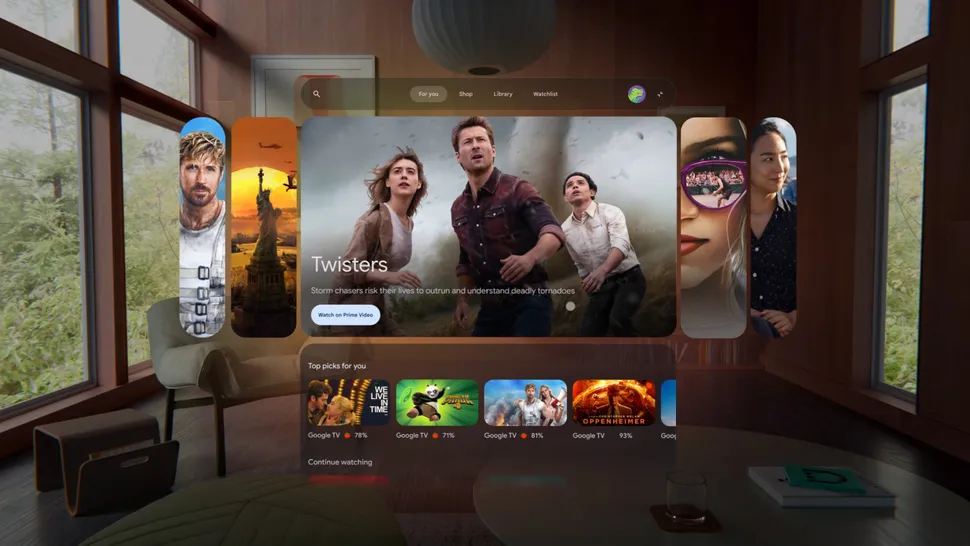
Similar to Apple’s Vision Pro, the Samsung Galaxy XR targets the mixed reality user interface paradigm first introduced by the Meta Quest Pro.
Mixed-reality passthrough will enable apps that sit on virtual screens within your real living room, letting you see the world around you while still using virtual apps.
Android XR, a brand-new version of Android that Google describes as “the first Android platform built entirely for the Gemini era,” powers everything.
This indicates that eye tracking, hand tracking, controller input, and voice input can all be used to control the UI. Gemini has full control over the experience and can do almost anything you need it to do, which is helping to change how mixed-reality apps are used.
You can even ask Gemini to organize the windows of apps you have running, making it a very powerful organizational tool.
“You can talk to your device as if you were talking to someone in the physical world” was the company’s announcement when it was first made public on stage by Google.
This is because Gemini can see what you see and hear what you hear, including using the cameras on the headset to help identify things around you.
This means you can circle to search for things using your hands, so it’s easy to find great cooking recipes and cook hands-free, for example.

Google made the surprising announcement that the Galaxy XR will immediately be compatible with all Android apps available in the Google Play Store. That’s a massive leg-up on both Apple and Meta, as it means all your favorite apps already work on Samsung’s new headset.
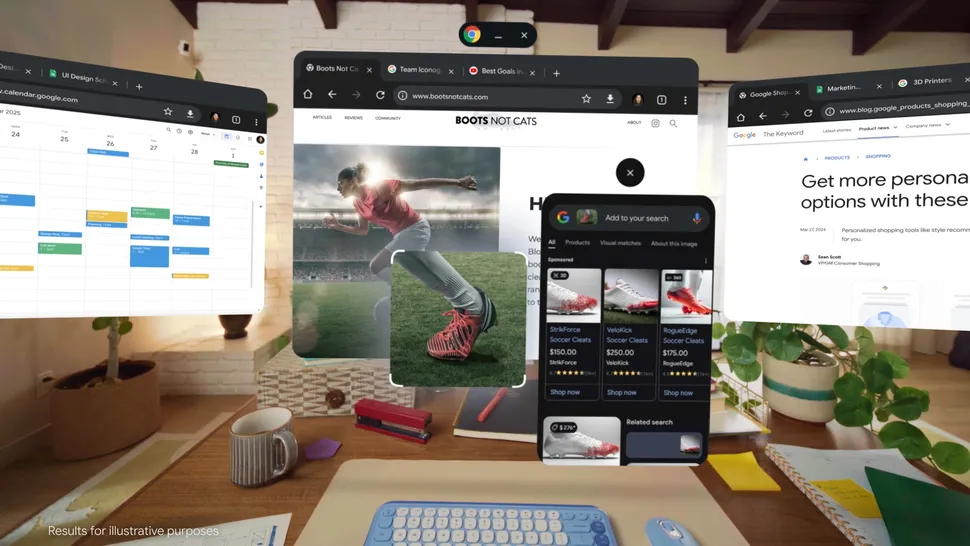
Google touts many of its apps running on Galaxy XR, including Google Photos, Google Maps, YouTube, Chrome, and others. The headset’s hardware design allows for high-quality immersive and mixed-reality experiences, making it useful for both entertainment and work.
YouTube, for example, can be used in theater mode or in a floating window. Better yet, the headset is capable of enhancing 2D videos by adding a convincing layer of 3D depth using onboard AI.
In our hands-on, Michael Hicks noted that “while Galaxy XR’s hardware is impressive, I wouldn’t be as excited for the headset if it weren’t for unique Android XR tricks like this.”
You can use “unlimited monitors” to work from any location by pulling Chrome tabs out of the main window and placing them in a floating window while browsing the web.
Beyond comparisons to existing headsets, Google hopes to pave a new way to the future through communication with Gemini.
Gemini has a significant advantage over Apple’s Siri in the Vision Pro and Meta AI in the Quest 3 due to its ability to see and hear everything in the real and virtual worlds.
This lets you talk to Google about what’s going on in any app you’re using as well as what’s going on in the room around you, bringing the two together in a way we haven’t seen before.
Google showed off a brief Gemini on Android XR showcase during The Android Show on May 13, 2025. This particular demo showed off how Gemini can be used to search for information,
but it doesn’t work exactly like you’re used to. Instead of just pulling up the search results on a single browser tab, Gemini can open multiple applications at a time and give you extensive information with a single query.
In the example, the person was researching vacation options and Gemini was able to pull up Google Maps, YouTube videos, and even assemble a draft itinerary in Google Docs, all on “the infinite screen,” as the presenter called it.
This lets you “create an itinerary in minutes” with tons of useful information at your fingertips instead of needing to cycle through multiple apps on a tiny phone screen.
For more daily updates, please visit our News Section.